
















Proactively Drive Trust & Enhance Athlete Voice with Pulse Anonymous Surveys
June 4, 2026 · Read Time: 6 mins
New: Pulse Anonymous Surveys in Teamworks Hub
Pulse Anonymous Surveys within Teamworks Hub lets admins build and deliver anonymous surveys to athletes, then analyze results with robust reporting and exports. Surveys are delivered directly in the Teamworks mobile app (no extra logins, no external links), which helps drive higher participation and more candid responses.
Why anonymity matters in athletics
In sports organizations, feedback often comes with power dynamics, scholarship and playing-time implications, and cultural pressure. Anonymity creates psychological safety, so leaders can surface the truth faster, identify risk earlier, and act with confidence.
How you can use Anonymous Surveys to better your organization:
1. Program feedback (improve operations + experience)
Use Pulse when you want honest input on things you can change.
- End-of-season surveys
- Evaluate coaching communication, athlete experience, scheduling, facilities, travel, and support services.
- Identify what to keep, what to adjust, and what to resource differently next year.
- Post-trip / travel feedback
- Collect feedback on logistics (hotels, meals, transport), recovery, and scheduling after team travel.
- Spot recurring issues and standardize what works.
- Post-tournament / post-championship surveys
- Capture learnings while the experience is fresh.
- Improve operations for future postseason runs.
- Facilities & equipment needs assessment
- Understand what athletes actually notice day-to-day.
- Prioritize upgrades based on recurring themes, not loudest voices.
- Rookie onboarding feedback
- Evaluate how quickly first-year athletes feel supported, informed, and integrated.
- Improve onboarding content and timing for future classes.
- Community engagement interest
- Identify what causes resonate and what schedules realistically allow.
- Use results to plan events that earn participation (not just approval).
Example survey prompts:
- “What should we stop doing next season?”
- “What is one change that would most improve your experience?”
- “Rate your satisfaction with travel logistics (1–5). What would you change?”
2. Wellness + culture (monitor sentiment + wellbeing)
Use Anonymous Surveys when you want a regular pulse on how people are doing and feeling towards team culture without putting individuals on the spot of sharing a name with their feedback.
- Wellness check-ins / climate surveys
- Track stress, workload, belonging, and access to resources over time.
- Spot early warning signals and follow up with targeted support.
- Mental health & wellbeing checks
- Provide a low-friction way to raise flags and request resources.
- Identify common blockers to help-seeking.
- Team health & engagement pulse checks (weekly or monthly)
- Ask lightweight questions that reveal momentum and friction.
- Use trends to guide leadership conversations.
Example survey prompts:
- “On a scale of 1–10, how supported do you feel by staff right now?”
- “What’s one thing that’s draining energy from the team?”
- “Do you know where to go for mental health resources? (Yes/No)”
3. Compliance + risk mitigation (protect people + the organization)
Use Pulse when you need a secure channel for sensitive issues or identifying risk patterns—without fear of retaliation.
- Anonymous feedback for sensitive topics
- Create a safer path for athletes to share concerns related to harassment, discrimination, or program misconduct.
- Identify issues that might not surface through direct reporting channels.
- Climate and Safeguarding-related surveys
- Gauge trust, awareness, and perceived safety.
- Establish documentation and trend visibility that supports proactive action.
- Vulnerable population check-ins
- Especially relevant for academy programs and women’s sports environments where safety and safeguarding are central.
Example survey prompts:
- “Do you feel safe raising concerns within the program? (Yes/No) Why?”
- “How confident are you that concerns will be handled fairly? (1–5)”
- “What would make it easier to report an issue?”
Real-world examples teams care about
Reduce spend – Stick with one native system
Because Pulse Anonymous Surveys is built into Teamworks Hub, you don’t need to go anywhere or pay for another survey tool. Pulse consolidates survey creation, distribution, and results inside Hub—reducing admin workload and spend.
Increase response rates by meeting athletes where they are
Surveys delivered through the Teamworks app—with push notifications—reduce friction and drive completion, especially for time-sensitive check-ins and end-of-season feedback.
Run smarter surveys with advanced logic
Conditional logic and richer question design help shorten surveys, reduce fatigue, and improve data quality—so you can get better insights with fewer questions.
Turn responses into action with reporting
Admins can export results (PDF, CSV/Excel), track trends over time, and compare responses across teams, seasons, or cohorts—creating a consistent measurement system for program health.
Reporting that leaders can actually use
Anonymous Surveys doesn’t stop at collecting feedback—it helps you make sense of it in a way that’s actionable for leaders. With built-in reporting, admins can quickly see response distributions, spot patterns, and filter results by the groups that matter most (team, role, season, or time period). That means you’re not just reading individual answers—you’re identifying what’s consistent, what’s changing over time, and where certain cohorts may be experiencing the program differently.
Just as importantly, reporting in Anonymous Surveys makes it easy to share insights without adding work. Robust exports (like CSV/Excel and PDF) allow you to bring results into leadership meetings, compliance reviews, or end-of-season planning—while still protecting the integrity of anonymity.
Leaders can also benchmark results across teams, seasons, and campaigns to spot trends over time and prioritize what to address. The result is a repeatable way to track program health, surface risks earlier, and close the loop with real changes based on honest input.
Anonymous Surveys vs. Quick Forms: when to use what
Teamworks Hub also has a Quick Forms feature, which is best for workflows where submissions need to be tied to a specific person. Use Quick Forms for operational and compliance moments like sign-ups, availability, waivers and acknowledgments, equipment sizing, travel details, or any request where you need to follow up with an individual.
Use Anonymous Surveys when you want more honest, higher-signal feedback and you do not need attribution. They are ideal for culture and wellbeing check-ins, sensitive topics, risk and safeguarding climate surveys, and end-of-season program feedback where anonymity increases psychological safety and response quality.
If you need to take action with a specific person, choose Quick Forms. If you need to understand how a group is really feeling, choose Anonymous Surveys.
Getting started: a simple rollout plan
- Start with a low-stakes survey (e.g., travel feedback) to build trust in the process.
- Set expectations: Explain what “anonymous” means and how results will be used.
- Close the loop: Share what you learned and what you’re changing—without over-sharing details.
- Move to recurring pulses: Add a monthly team health check-in and a seasonal program assessment.
The value of athlete voice—safely captured
Pulse Anonymous Surveys gives athletics organizations a trusted, mobile-first way to measure what’s really happening—so leaders can improve culture, reduce risk, and make better decisions based on consistent, honest feedback.
If you would like to learn more about Teamworks Hub and Pulse Anonymous Surveys, visit here.
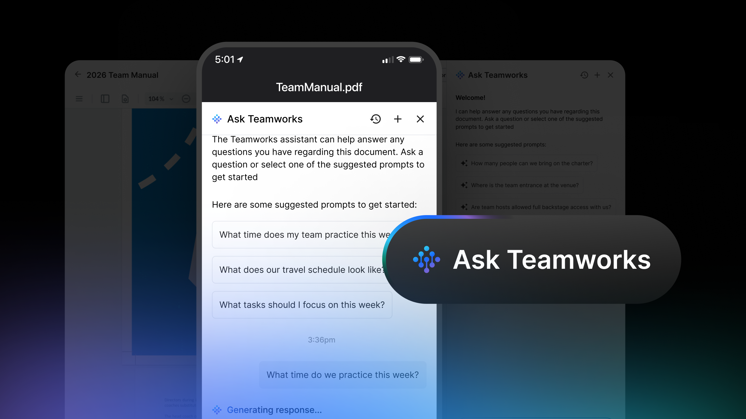
How the NCAA Found Clarity in the Chaos of March Madness
See how the NCAA used Ask Teamworks to get instant, citation-backed answers to policy, travel, and protocol questions during March Madness.
TCU Selects Teamworks Player Personnel
TCU Football adopts Teamworks Player Personnel to unify self-scouting, advanced scouting, and transfer portal evaluation into one platform, giving AGM Tyler Olker's growing staff a faster, more precise way to build a roster built for the Big 12 and beyond.
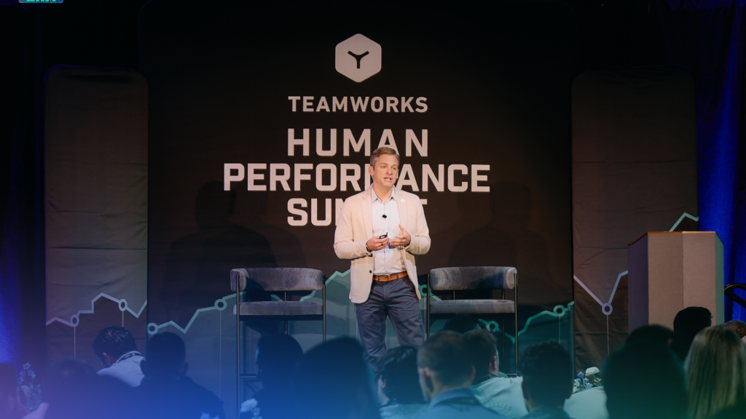
The Future of AI in Sports Is Not What You Think It Is
AI in sports is only as powerful as the data behind it. Learn why connected data, not AI models, will define the future of performance.