Insights From


Products Featured
If you have ever tried to find one detail in a 200-page PDF while everything is moving fast, you already know the problem: “Ctrl+F” is not a workflow.
Picture this: It’s game day. Your athlete has a question about a competition policy. Your staff member is on-site at a championship event and gets peppered with compliance questions. Your coach needs a travel document, right now, not in 20 minutes.
And that’s why we created Ask Teamworks.
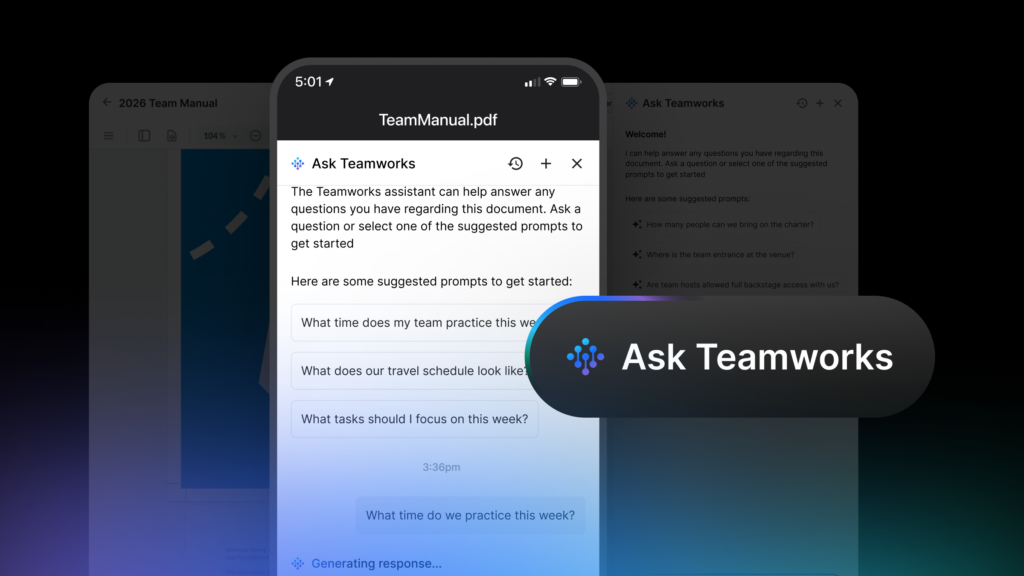
It’s the conversational way to get answers from Teamworks Hub. Ask it about your documents and anyone in your organization can pose a question in plain language, then get an immediate, accurate answer with citations drawn straight from the source. No more digging through PDFs, no more forwarding emails, no more “I think it’s in that folder somewhere.”
Just type your question, and Ask Teamworks gives you clear answers based on the documents your team already relies on.
Quick jump:
- How Ask Teamworks works with your documents
- A Story From the Court: March Madness & the NCAA
- Everyday ways to use it
- Getting your athletes & staff on board
How Ask Teamworks works with your documents
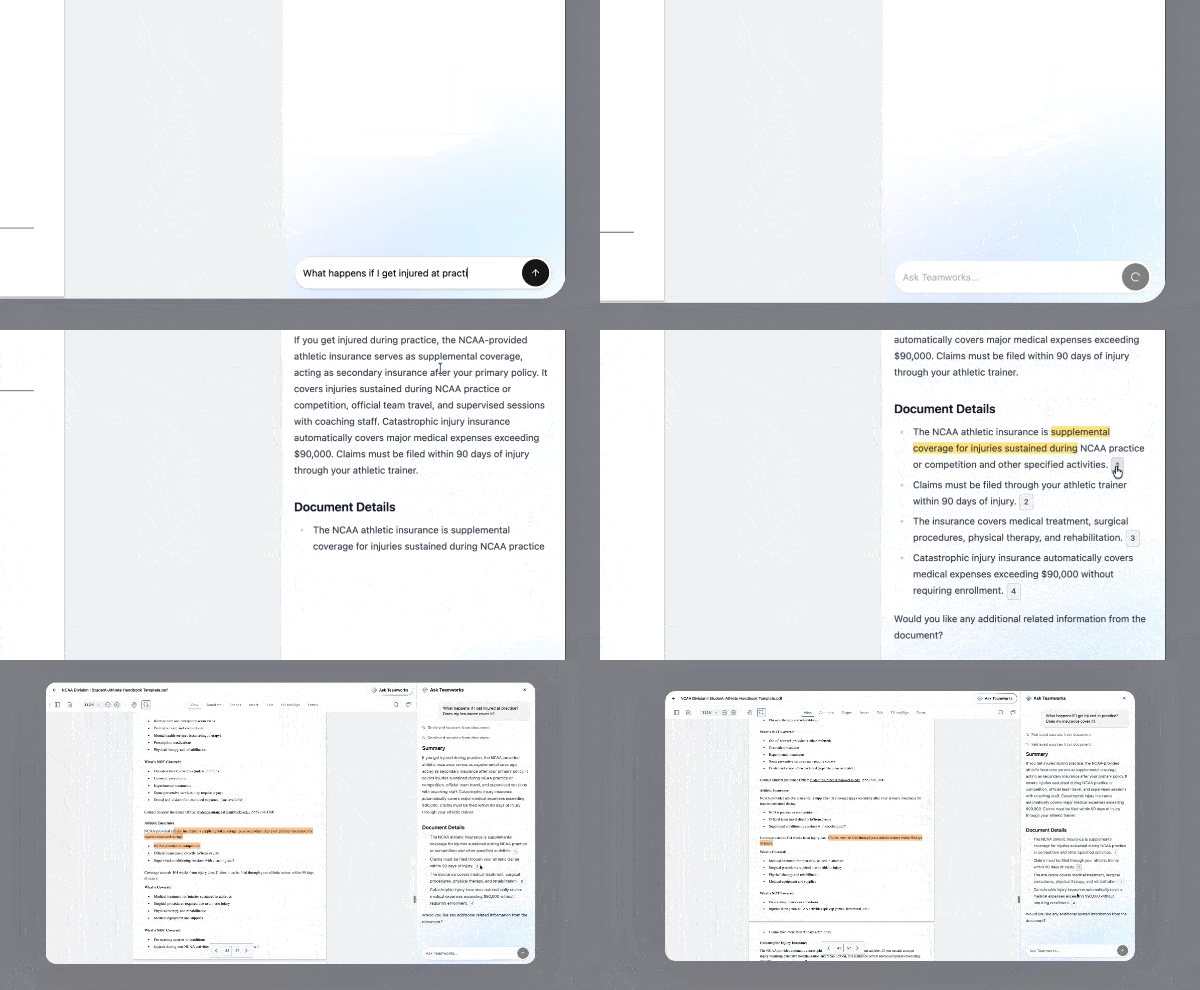
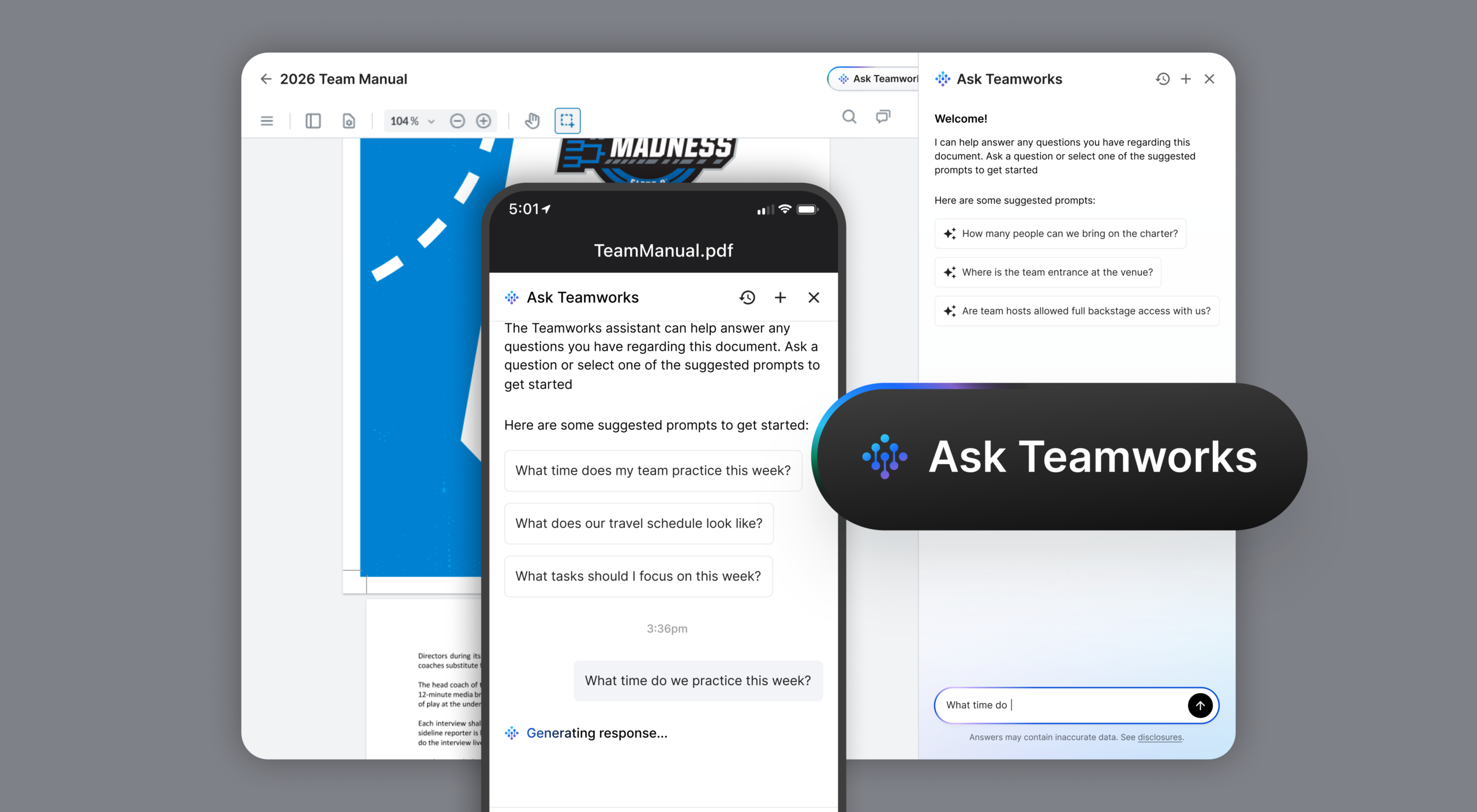
When your organization uploads documents like policy manuals, travel guides, compliance handbooks, athlete agreements, or event runbooks, Ask Teamworks makes them instantly searchable with plain-language questions, and returns a clear, contextual answer in seconds. Just open Hub → Files and select a document to get started.
- PDF-scoped, natural-language Q&A: Ask in plain language and get an answer grounded in the exact file you selected.
- Citations + jump-to-source: Every answer includes citations so you can click straight to the source passage and verify fast.
- Where you already work: Available in Hub → Files experience on web and Hub mobile (coming soon to the new Teamworks mobile app; currently in the legacy Hub app).
- Security: Built inside the system of record, your data stays yours: secure, contained, and compliance-grade by design, with no leakage to a general-purpose open AI source.
When your documents are the source of truth, Ask Teamworks gives you answers you can verify.
- Citations are the feature: The goal is not just speed, it’s speed with proof.
- Scoped to the file: Responses stay grounded in the document you selected.
- Better handoffs: When you share an answer, you can also share where it came from.
A Story from the Court: March Madness & the NCAA
How Ask Teamworks came to life at the championship level
Teamworks partnered with the NCAA across one of the most demanding, high-stakes environments in college sports, the March Madness tournament, to show how practical AI can be when it’s built around real needs.
The Challenge
During March Madness, staff and officials manage hundreds of policy documents, operational guides, and compliance references. Meredith Cleaver, the NCAA’s Director of Championships and Alliances, has faced this challenge countless times: people constantly bring policy questions, and finding the right answer in a dense document slows everything down.
The NCAA needed a way to make their documents usable in real time, not just stored.
The Solution
We worked closely with NCAA leadership to understand how championship staff would use a feature like this, which documents mattered most, and what a winning experience looked like in a high-pressure environment. And that process is what stayed with them.
“The speed of the innovation, the motivation to get it done, and the thought put into the design, how membership would best take advantage of the features, made for a genuinely outstanding experience. It shows the value your team places on development and on truly listening to the voice of the customer.”
— John Macrina, NCAA CTO
On the Ground at March Madness
“I personally used it on-site because folks would come up with policy-related questions constantly. Instead of doing the usual Ctrl+F search in a PDF, I could just ask the question. It also gave me a teachable moment, showing them, ‘Hey, you can do this too. Here’s how it works.’ Every time I used it, it worked well. It gave me exactly what I needed, or a bit more, so I could dig deeper into the topic. It was genuinely easy to use on both desktop and mobile. I’m excited about the opportunities it could provide in future years.”
— Meredith Cleaver, NCAA Director of Championships and Alliances
What This Means for Sports Organizations Everywhere
Whether you’re managing a Division I athletic department, a pro sports team, a national governing body, or even a tactical organization, the challenge of making the content of your documents instantly accessible at the right time is the same.
Ask Teamworks solves that challenge, for all elite sports, in every moment.
Everyday ways to use it
1) Instant policy answers: On-site or in-office: Whether it’s a compliance question during a championship or an eligibility inquiry during a recruitment visit, policy questions don’t wait.
- “What is the required credential for bench access?”
- “Are laptops allowed on the bench?”
- “Who is the site representative, and how do we contact them?”
Example: A staff member is on-site at a tournament and an athlete asks about a specific equipment regulation. Instead of searching page by page through a 200-page rulebook, they open it in Hub → Files, ask their question with Ask Teamworks, and get the answer in seconds, with the relevant passage surfaced automatically.
2) Compliance & eligibility questions: Turn any compliance document into a live resource so responses stay consistent and policy-backed.
- “What are the transfer portal eligibility windows?”
- “What documentation is required for this scenario?”
Example: A compliance officer opens the eligibility policy and asks about transfer portal windows. Ask Teamworks returns the exact language from that document, plus surrounding context.
3) Athlete & staff onboarding: Help new team members self-serve answers from handbooks, codes of conduct, and operational guides.
- “What are the study hall requirements?”
- “What’s the policy on missed class?”
Example: A new student-athlete opens the student-athlete handbook and asks, “What are the study hall requirements for first-semester athletes?” Ask Teamworks answers immediately from that document.
4) Game-day & event operations: Keep runbooks, venue guides, and competition protocols accessible when everything is moving quickly.
- Weather and contingency procedures
- Scheduling rules and practice windows
- Seating, ticketing, and access policies
- Media rules and content restrictions
Example: A game-day operations coordinator opens the event management guide and asks, “What’s the protocol for handling a weather delay?” Ask Teamworks answers instantly from that document.
5) Medical, training & nutrition protocols: Get to the right protocol fast during high-pressure moments.
- Emergency action plans
- Treatment documentation
- Return-to-play guidelines
Example: A trainer opens the emergency action plan and asks, “What is our concussion return-to-play protocol?” Ask Teamworks surfaces the exact steps from that document.
6) Contract & agreement reference: Make contracts, sponsorship agreements, and vendor documents searchable without needing to loop in legal for every simple question.
- Termination provisions
- Deliverables and timelines
- Payment terms
Example: An administrator opens the venue contract and asks, “What are the termination provisions?” Ask Teamworks locates the relevant section across the full agreement text in seconds.
How it works
- Enable Ask Teamworks on any PDF in Hub → Files. Once enabled, an AI badge appears on the file.
- Open that file and select Ask Teamworks to launch the chat panel.
- Ask your question in plain language, or pick a suggested prompt.
- Review the answer, then use citations to jump to the exact source and confirm.
Want the full step-by-step? Our Help Center article walks you through it with screenshots.
Getting your athletes & staff on board
Even the most powerful feature is only as valuable as the people using it. Here’s how to drive adoption across your organization so your team can find answers on their own.
- Start with a teachable moment: The best adoption strategy is not a mandate. It is a demonstration. Think back to Meredith’s example during March Madness: she used Ask Teamworks in the moment, showed others how it worked, and built organic enthusiasm. When someone asks a question that is answered in a document, use it as an opportunity to show Ask Teamworks in action. Answer it together, in real time, so they can see how fast and easy it is.
- Upload the documents people ask about most: Adoption skyrockets when Ask Teamworks consistently delivers useful answers. Start by uploading the documents your team references most frequently:
- Athlete handbook
- Travel & logistics guides
- Policy & compliance manuals
- Emergency action plans
- Event & game-day operations runbooks
- Nutrition & training protocols
- Financial & reimbursement procedures
- Include It in Onboarding: For new athletes and staff, make Ask Teamworks part of the onboarding process. Demonstrate it during orientation, explain what documents are available, and encourage them to use it as their first stop for questions. This builds the habit early.
- Champion it from the top: Adoption accelerates when leadership uses and visibly endorses a tool. When coaches, directors, and administrators model using Ask Teamworks in meetings, on the road, and in their daily workflow, it signals to the broader staff and athletes that this is the standard way to access information.
- Make it part of communication templates: When sending out documents, add a line like: “All documents related to this policy are available in Teamworks. And remember, use Ask Teamworks to ask questions instead of searching page by page.” This reinforces the behavior alongside existing workflows.
- Encourage athletes to self-serve: Athletes are used to asking coaches and staff their questions. Teaching them to use Ask Teamworks builds independence and reduces the administrative burden on your team. Highlight it in team meetings, in your athlete communication channels, and in seasonal kickoff materials.
Ready to Make Your Documents Work Harder?
Ask Teamworks makes critical documents instantly usable.
When pressure is high and details matter, you can move faster while staying grounded in the source of truth.
→ Start using Ask Teamworks right now
Not a Teamworks user? See a demo today.